
Have you noticed that when you search for restaurants or services near your home on Google, a business information box with a map appears immediately? Google My Business is a tool that helps customers find your business more easily. Whether your business is a restaurant, beauty salon, or service company, this article will introduce you to Google’s excellent business listing service that CIPHER believes is another SEO strategy that will help your business grow rapidly in the online world.
Table of Contents
What is Google My Business?
Google My Business is a free service from Google that helps your business appear on Google Search and Google Maps when people search for related products or services. My Business is a platform that consolidates your business information in one place, including address, phone number, opening hours, and other important details.
When customers search for terms related to your business on Google, your information appears in the box to the right of the search results page (Knowledge Panel) or in the Local Pack that displays businesses in that area. Pinning your Google Business helps customers see your store on the map and makes it easier for them to visit. It’s a powerful tool for Local SEO that you shouldn’t overlook.

Why Should Your Business Have Google My Business?
In an era where people prefer to search for information online before deciding to use a service, having Google My Business is like having an online storefront that helps your business be discovered more easily, without investing in expensive website or application development.
Google Business is a channel that helps increase credibility for your business. When customers see complete information, reviews from other customers, and clear storefront photos, it’s SEO for your business that builds confidence and increases the chances they’ll choose your services over businesses without searchable information.
Additionally, My Business is an important tool for Local SEO that helps your business rank at the top in local searches, efficiently increasing both online and offline traffic for your business.
Who is Google My Business For? What Types of Businesses Should Use It?
Google My Business is a tool suitable for various types of businesses, especially those wanting to reach customers in nearby areas or establish credibility in the online world. Businesses that should use Google Business Profiles include:
- Local Business Owners: Small and medium-sized businesses with physical locations such as restaurants, cafés, retail stores, beauty salons, or clinics. Pinning on Google Business helps customers in the area search for and travel to your services conveniently. When they search for “restaurants near me” or “beauty salons in Pattaya,” your business information will appear in the search results immediately.
- Area Service Businesses: For businesses without a physical storefront but providing services in specific areas, such as electricians, plumbers, cleaning services, or transportation services, you can use Google My Business to indicate your service area, making it easier for customers in those areas to find and contact you without needing an office or physical store.
- Businesses Needing to Build Credibility: Businesses that rely on customer trust, such as beauty clinics, hospitals, insurance companies, or financial institutions. Having Google Business Profiles with customer reviews and complete information helps build credibility and increases confidence for customers deciding whether to use your services.
Steps to Sign Up for Google My Business
1. Name Your Business
Start by going to the Google My Business website and logging in with your Google or Gmail account. Then enter your business name. It’s recommended to add keywords related to your business type after your store name, such as “Aroi Bakery – Homemade Cake Shop,” so customers immediately understand what you sell.
2. Display Storefront
3. Enter Business Address and Pin Location
4. Add Contact Information
5. Verify Information
6. Enter Store Details
7. Enter Product and Service Details
8. Add Menu and Product Images
Techniques for Setting Up Google My Business for SEO
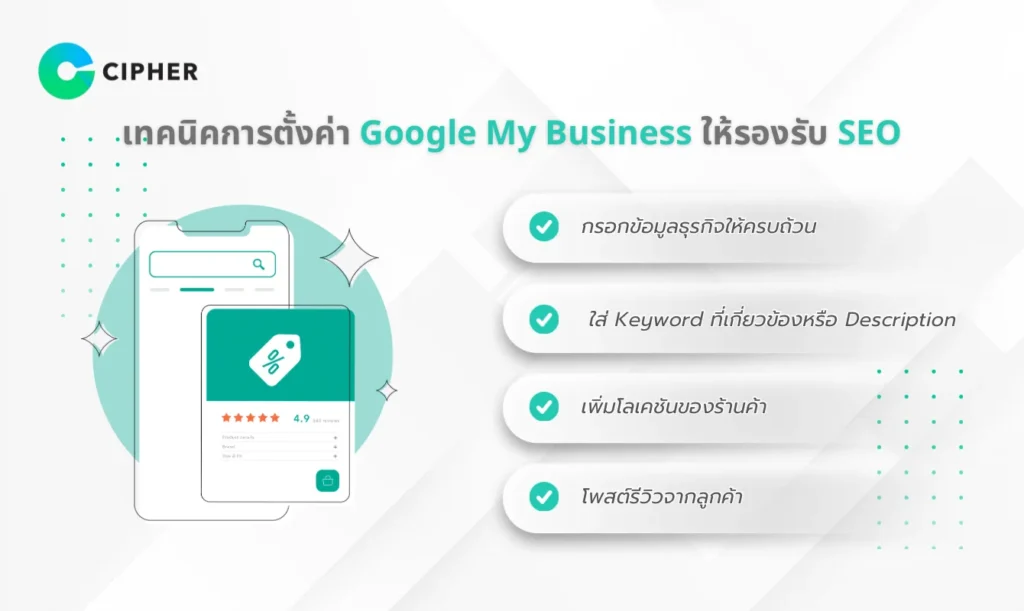
Fill in Complete Business Information
Include Relevant Keywords in the Description
Including search terms or keywords related to your business in the Description will help your Google Business Profiles appear in more related search results. For example, if you’re a Japanese restaurant, you should include words like “Japanese food,” “sushi,” “sashimi” in your business description.
Add Business Location
Post Customer Reviews
What Are the Benefits of Google My Business?
Google My Business is a tool with numerous benefits for businesses of all sizes, whether small shops or large companies. Let’s see what benefits it offers:
- Increased Visibility: Helps your business appear on Google Search and Google Maps when people search for related products or services.
- Builds Credibility: Having Google Business Profiles with complete information and customer reviews helps build credibility for your business.
- Reaches Local Customers: Google Business pinning helps local customers discover your business more easily, especially when they search using the term “near me.”
- Cost Savings: It’s a free and effective advertising channel that reduces marketing costs.
- Communicates with Customers: Allows interaction with customers through reviews, messages, and various updates, building good long-term relationships.
- Increases Sales: Interesting information and photos help attract new customers and increase sales opportunities.
- Data Analysis: Track how people search for and view your business information to develop and improve business strategies.
- Supports Local SEO: Helps improve rankings in search results for local keywords, increasing chances for customers to find your business.
What Analytics and Insights Does Google My Business Offer?
Google My Business is a platform that not only helps display your business but also has analytical tools that help you better understand customer behavior. You can view insights from the My Business dashboard:
- Number of Searches: See how many times people searched for and viewed your business information each month.
- Map Appearances: Track how many times people saw your business on Google Maps.
- Popular Search Terms: See what search terms customers use to discover your business, to improve your descriptions and keywords.
- Phone Calls: Track the number of calls from your business profile.
- Directions Requests: See how many times customers request directions to your store.
- Website Visits: Track the number of clicks to your website from Google My Business pin.
- Popular Photos: See which photos receive the most attention to improve your presentation.
This information is extremely useful for measuring the effectiveness of online marketing and adapting strategies to better match customer behavior.
Business Enhancement Services with Local SEO from CIPHER
CIPHER, an expert in IT Solutions and Digital Marketing, is ready to elevate your business with comprehensive Local SEO services. We have a professional team experienced in setting up Google My Business for leading brands in Thailand.
We understand that getting Google Business Profiles to rank at the top of local searches requires expertise and appropriate strategies. With our services, you’ll receive:
- Google My Business Setup and Optimization: We help create and optimize your Google My Business login profile for maximum effectiveness.
- Local SEO Optimization: Using specific local SEO strategies to help your business rank at the top in local searches.
- Review Management: Professional management and response to both positive and negative reviews to maintain and improve your business reputation.
- Content Creation: Developing interesting and effective content for Google My Business posts.
- Analysis and Reporting: Tracking and analyzing the performance of your Google My Business pin, with recommendations for improvement.
With our extensive experience in Digital Marketing for various types of businesses, CIPHER is ready to help your business grow online and reach your target customers effectively.
Conclusion
Google My Business is a powerful tool that helps your business have an online presence, increasing visibility, building credibility, and reaching more local customers. Google Business pinning is a free service with tremendous benefits for businesses of all sizes, whether you’re a small restaurant or a large service company. Getting started and optimizing for SEO will help drive your business’s sustainable growth in the digital world.