

Using Messenger on the web is another channel that helps you communicate more conveniently without having to open applications. CIPHER is a company that provides technology services, digital solutions, and online marketing. We understand that fast communication is the heart of today’s business. Let’s see how to access Messenger through the web.
Table of Contents
What is Messenger on the Website?
Messenger on the web is Facebook’s chat service that can be used directly through a browser without needing to install an application. Additionally, there’s a “Messenger Chat Plugin” feature that allows website owners to install a chat on their website, enabling customers to talk to businesses immediately without leaving the webpage. This is a tool that the CIPHER team recommends businesses use to increase customer service efficiency.
Why Should You Access Messenger Through the Web?
Setting up Messenger to use through the web has many advantages for both general users and business owners:
- Save device storage – no need to install additional apps
- Accessible from any device with internet
- Suitable for work – type messages quickly with a keyboard
- Easily manage multiple chat conversations simultaneously through multiple tabs
The CIPHER team has found that many customers prefer this method because it helps manage conversations through social media more efficiently, especially businesses that need to handle many customers.

How to Use Messenger on the Web
For general users, using Messenger on the web is easy; simply go to messenger.com and log in with your Facebook account.
But for business owners or website administrators, Messenger on the web also has a special format that is interesting, called the “Messenger Chat Plugin” that helps:
- Customers chat directly with your business page from the webpage
- Conversations can continue to Facebook Messenger even after customers leave the website
- Increase opportunities to close sales and provide immediate customer service
At CIPHER, we help customers install this system to increase customer service efficiency and sales effectively.
Steps to Install Messenger on a Website (WordPress)
Method 1: Installation via Plugin
Setting up Facebook Messenger with this method is suitable for Business or Pro plan users:
- Search for Facebook Messenger widget in the plugin tab and select it
- Click “Install Now”
- Click “Activate”
- Go to the “Customer Conversations” tab in the “Getting Started” section and click “Edit Chat Plugin”
- Customize the settings as desired to complete the setup
Setting up Messenger with this method is the easiest and fastest, but there are limitations regarding usage plans.
Method 2: Installation via Code
Another method to install Facebook Messenger is by using the widget code, which requires the following steps:
- Install the header and footer plugin from the plugins page
- Navigate to header and footer settings
- Add the Facebook Messenger widget script to the footer
After completing these steps, you will have Facebook Chat on Site ready to use on your website. Customers will be able to contact your business immediately through chat on the website without leaving the webpage.
At CIPHER, we have a team of experts ready to help install this system on your website to ensure everything works with maximum efficiency.
Benefits of Using Messenger on the Web
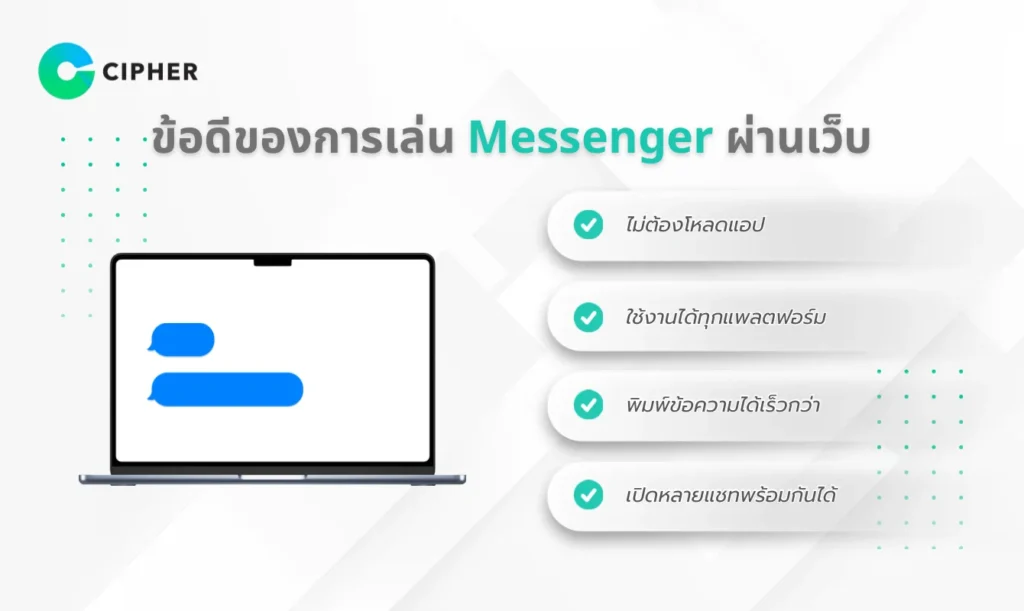
Using Messenger on the web has many advantages that might make you stop using the mobile app completely! Let’s look at the main benefits:
- No need to download the app – saves device space and battery
- Usable on all platforms – computers, mobile phones, and tablets
- Type messages faster – a real keyboard makes typing much more convenient
- Open multiple chats simultaneously – efficiently manage multiple conversations in multiple tabs
For businesses, using Facebook Chat on Site also increases opportunities to close sales and create a good impression with customers because you can answer questions immediately without customers having to leave your website.
Want to Install Messenger on Your Website? Let CIPHER Take Care of Everything in One Place
Installing Messenger on a website may seem easy, but many businesses often encounter problems such as code not displaying, system incompatibility, slow website loading, or not knowing how to securely connect it to a Facebook page. The CIPHER team can help you manage every step, from setting up on Facebook Page, embedding code on the website (WordPress, Shopify, Custom HTML), to testing to ensure it’s ready for actual use. All of this allows business owners to avoid wasting time with trial and error.
Besides installing Messenger, CIPHER also helps design a chat system to suit your brand, such as setting up automatic greeting messages, matching chat button colors with the website’s tone, as well as connecting the chat system to CRM or Chatbot to increase professional customer care efficiency. This helps businesses respond to chats faster, close more sales, and increase website credibility.
Conclusion
Using Messenger on the web is not only convenient for general users but also a powerful tool for businesses wanting to increase communication efficiency with customers. Installing chat on the website helps customers contact your business immediately, which is a strategy that will help increase sales and create a good impression with customers.
CIPHER is ready to help your business set up Facebook Messenger on your website to elevate your customer service. Don’t hesitate to contact us if you need help with installation or have additional questions about accessing Messenger through the web. We are happy to provide consultation and full assistance!