
Making it easy for customers to find your store on Google Map is a key strategy to attract customers to your business. This article will guide you through the process of pinning on Google Map in detail from start to finish, along with techniques to help your store stand out from competitors. CIPHER, a digital agency specializing in SEO and comprehensive online marketing, is ready to help your business grow by offering effective ways to increase your online visibility.
Table of Contents
What is pinning on Google Map?
Pinning on Google Map means registering your business to appear on Google Maps, displaying its location, contact information, and other important details. When you pin your own store on Google Map, customers can find your business more easily through Google searches like “coffee shop near me” or “restaurants in Siam area” by using Google My Business, a free tool that Google provides for business owners to create business locations on Google’s platform.
Why pin your business on Google Map?
Pinning your business on Google Map offers numerous benefits. Not only does it help customers find your store more easily, but it also increases credibility for your business. The advantages of Google pinning include:
- Increasing opportunities for new customers to discover your business when they search for products or services in nearby areas
- Helping customers reach your store easily with real-time navigation
- Displaying important information such as opening hours, phone numbers, and reviews from other customers
- Improving rankings in Google’s local search results (Local SEO)
Building credibility and professionalism for your business
Businesses with physical stores should not miss out on store pinning methods, as 76% of consumers who search for local businesses on smartphones typically visit within 24 hours.

How to pin a store on Google Map
1. Go to Google My Business website
Start by visiting the Google My Business website, a platform that Google created for business owners to pin on Google Map themselves.
2. Sign in with your business Gmail account
3. Search for your business
4. Select business category
5. Enter business subcategories
6. Enter business address
7. Specify the position on the map
8. Enter contact information for customers
9. Verify information
10. Verify your identity via email
Google will send a verification code to the email you provided. Enter the verification code to prove that you are the actual business owner. This step is crucial to prevent identity fraud.
11. Set up business profile
12. Edit and update additional information
Local SEO techniques to enhance store pinning efficiency
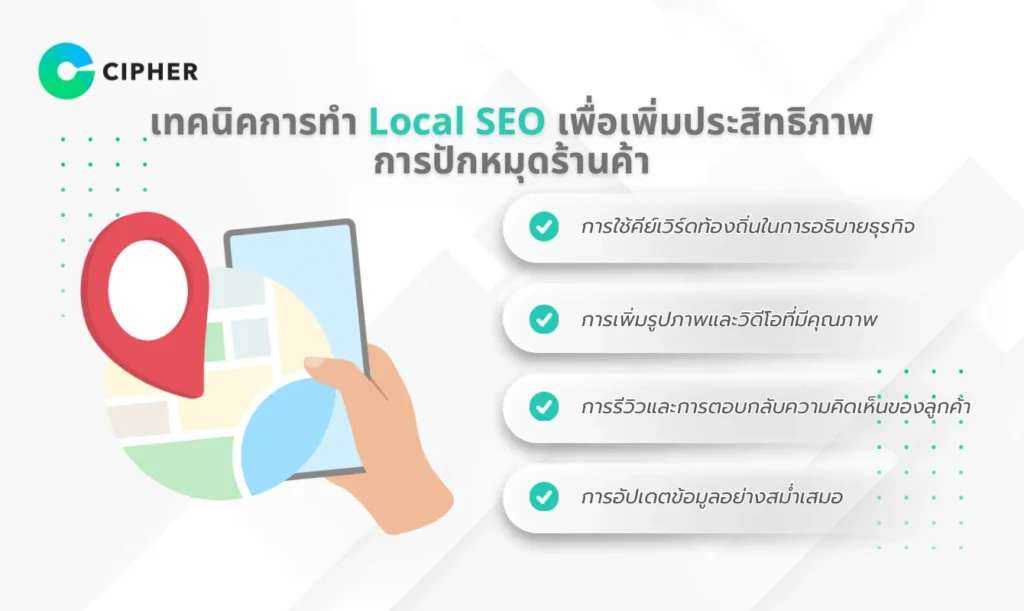
Pinning on Google Map alone may not be enough to make your business stand out in search results. You should use SEOand Local SEO techniques to improve the effectiveness of your store pin:
- Using local keywords in business descriptions – Add keywords related to your area, such as city names, neighborhoods, or well-known nearby locations, in your business and service descriptions
- Adding high-quality photos and videos – Upload high-quality images of both the exterior and interior of your store, as well as your products or services. Attractive images will increase the chances of customers visiting your store
- Reviews and responding to customer feedback – Encourage satisfied customers to review your business and consistently respond to all reviews, whether positive or negative
- Regular information updates – Keep your business information up to date, including adding posts about promotions, events, or store news
Good Local SEO practices will enhance your Google Map pinning methods and increase the chances of being discovered by customers looking for the products or services you offer.
Benefits of correctly pinning your store for your business
Correctly and completely pinning on Google Map will benefit your business in many ways:
- Increased sales – Having a position on Google Map helps guide customers to your store more easily, which can lead to increased sales
- Building credibility – Having complete information on Google My Business demonstrates the professionalism and reliability of your business
- Saving marketing costs – Google pinning is an effective marketing method with no cost
- Reaching target audiences precisely – People searching for services or products in nearby areas often have a high intention to use services or purchase products
- Gaining insights from customers – Reviews and feedback from customers help you improve your business according to their needs
Measuring and improving the effectiveness of store pinning
After pinning your store, you should monitor and measure performance to improve your strategy. Google My Business has an Insights tool that provides in-depth information about:
- Number of searches showing your business
- Keywords customers use to find your business
- Number of directions/navigation requests to your store
- Number of calls from Google My Business
- Number of clicks to your website
Use this data to improve your business pin information and strategies with tools that enhance SEO efficiency to make them even more effective.
Strategies to expand results from store pinning
Once you’ve completed your Google Map pin, you can expand and enhance its effectiveness with these strategies:
- Create Google Ads campaigns linked to Google Map – Promote your business to appear prominently in search results when customers search with relevant keywords
- Utilizing Google Posts features – Create posts about promotions, events, or new products that will appear in your Google My Business profile
- Connecting Google My Business with website and social media – Create links between different platforms to increase visibility and credibility of your business
Let CIPHER pin your business with Google Map and enhance SEO for your business
If you need assistance with pinning on Google Map or want to elevate your Local SEO, CIPHER is ready to help! We are a digital agency specializing in SEO and comprehensive online marketing. With our professional team and over 10 years of industry experience, we are confident we can help your business stand out on Google Map and effectively increase your sales.
Our services:
- Managing Google My Business
- Optimizing Local SEO to improve rankings in local search results
- Designing digital marketing strategies suitable for your business
- Professional management and response to customer reviews and feedback
- Competitor analysis and monthly performance reports
Summary
Pinning on Google Map is a highly effective marketing strategy with no cost, helping your business become known and easily accessible to customers in your area. Proper store pinning methods combined with Local SEO will increase discovery opportunities, build credibility, and lead to increased sales. Remember to regularly update information and respond to customer reviews to maintain relationships and improve your business. For additional assistance, CIPHER is ready to be your partner in helping your business grow sustainably in the digital world.